Every device.
Every link. Live.
Live USB and Thunderbolt diagnostics from the menu bar.
Speeds, power draw, IDs, and connection details at a glance.
Download on the App Store
macOS 13 or later
Why this app
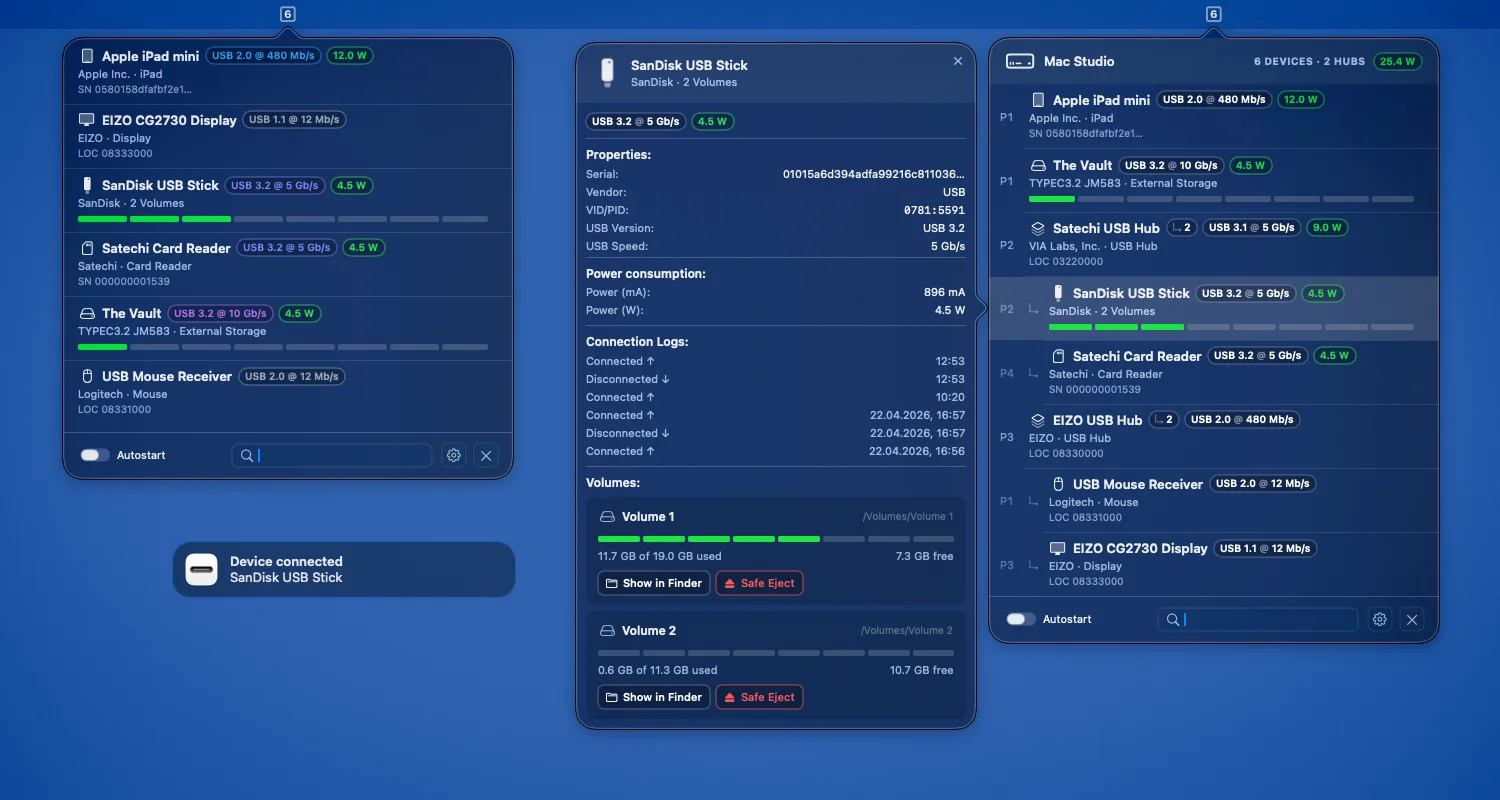
macOS can show USB details, but they are buried in System Information and scattered across different views. USB Status brings the useful parts into one fast menu bar utility: live devices, hub topology, negotiated speeds, power draw, storage volumes, connection history, and safe eject actions.
Live monitoring
- Live USB and Thunderbolt device list directly in the menu bar
- USB version, speed, power draw, IDs, serial, and location data
- Power badges, including cumulative hub power where available
- Clear badges keep speed, power, and device capabilities easy to scan
- Fast search, pinning, custom names, and optional launch at login
Volumes & actions
- Capacity bars for removable volumes in list and detail view
- Multiple volumes are detected and shown per device
- Color-coded capacity bars make fuller volumes easier to spot
- Safe eject per volume with clear success and failure feedback
- Finder shortcuts directly from the detail view
Hierarchy & history
- Optional hub and dock hierarchy with port labels and child counts
- Connection logs for recent connect and disconnect events
- Offline devices can stay visible until manually removed
- Hide devices and restore them later from Settings
Native macOS
- Native SwiftUI menu bar experience with light and dark mode
- Optional notifications and power supply information
- Compact detail popovers keep logs, power, IDs, and volume actions one click away
- Reduced Motion and Colorless Mode accessibility options
- Settings for offline devices, hierarchy, notifications, and display behavior
- Fast and lightweight — no external service, no account, no tracking
No data collected
USB Status processes everything on your device only. No external servers, no analytics, no tracking.
Read the full privacy policy.