Drop it. Encrypt it.
Done.
Encrypt or decrypt files and folders from the menu bar or in Finder.
Touch ID, AES-256-GCM, and no
cloud dependency.
Download on the App Store
macOS 13.5 or later
Why this app
Many encryption tools are either too heavy, too opaque, or too disconnected from the way macOS works. VaultBar is built for local, direct file protection — with native macOS handling, no cloud dependency, and a workflow that stays simple.
Key Features
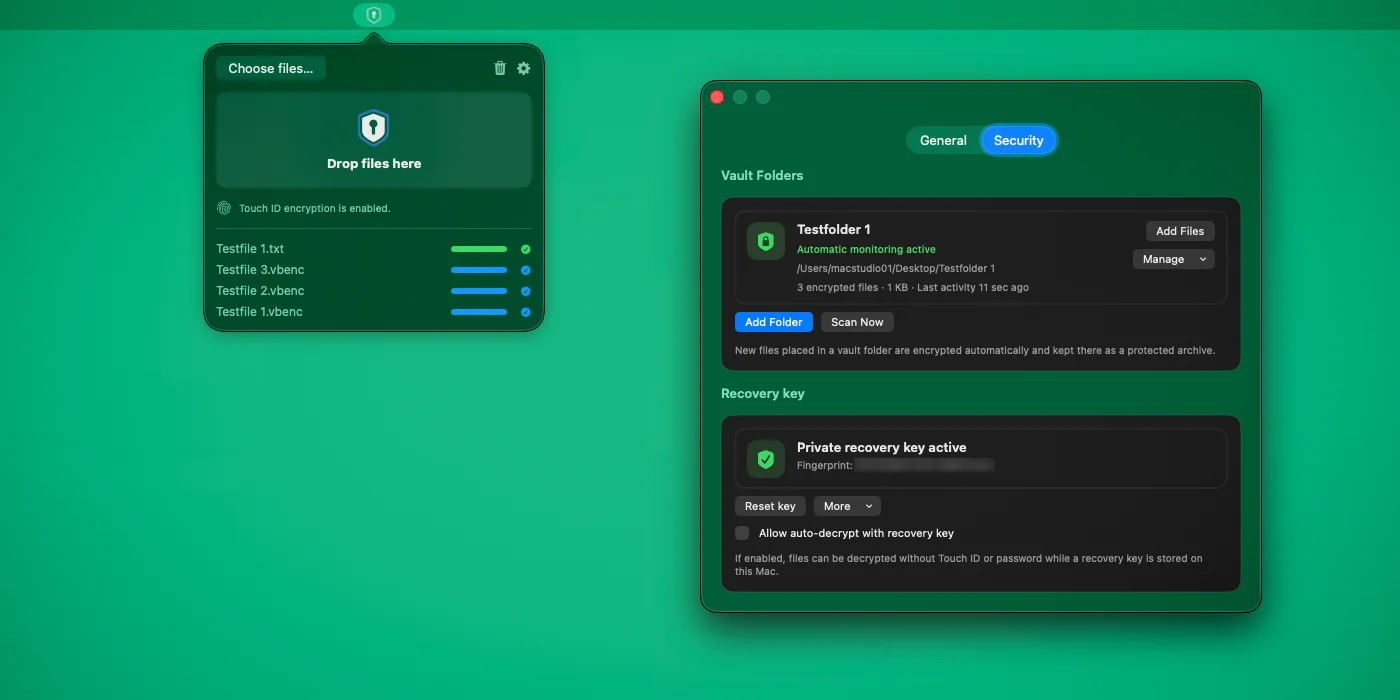
- Encrypt and decrypt from the menu bar, drag and drop, or the Finder context menu
- 100% local processing — no cloud, no analytics, no tracking
- Automatic detection of encrypted files to avoid double encryption
- Touch ID or password, with optional password fallback for Touch ID files
- Adjustable security and performance settings with KDF profiles and chunk size control
- Configurable output location, conflict handling, and replace-or-keep-original behavior
- In-place atomic writes and restored original file extensions on decrypt
- Recent history and batch processing support
- Free standalone Decryptor for sharing encrypted .vbenc files with recipients
Built for macOS
- Native SwiftUI — light and dark mode, subtle animations
- Fast, lightweight, and fully local — no background daemons
- Vault folders for collecting encrypted files in one place
- Recovery key support with public and private key export
- Menu bar utility with native macOS file handling
- Compatible with macOS 13.5 or newer
Encryption Details
- AES-256-GCM for authenticated encryption and integrity protection
- PBKDF2-HMAC-SHA256 with per-file random salt and adjustable complexity profiles
- Chunked processing for large files and fresh random nonces per operation
- .vbenc container format for encrypted files
- Recovery keys are optional and only apply to files encrypted after the key was created
No data collected
VaultBar processes everything on your device only. No external servers, no analytics, no tracking.
Read the full privacy policy.